
This tutorial explains how to use the AI product image set. It focuses on which product image must be uploaded, when to add optional reference images, and how to prepare better inputs for more consistent AI product visuals.
If you want to quickly create a complete set of clean product display images without embedded text, start with one clear main product photo. Then, depending on the complexity of the product, you can add detail shots, lifestyle images, packaging photos, or images from different angles. These additional references help the AI understand the product more accurately and generate a more stable, unified e-commerce image set.
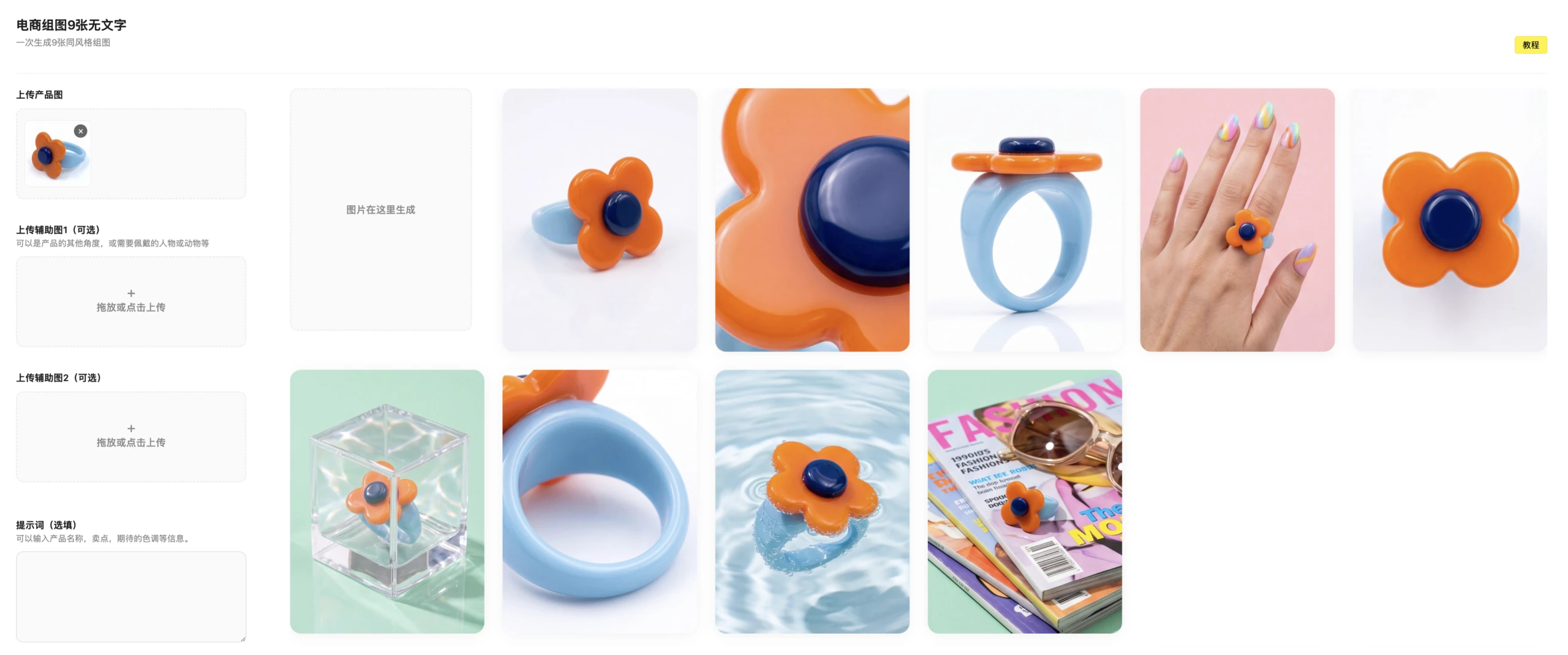
The First Image Is the Required Main Product Photo
The first image is the core input for the entire generation task, so it must be uploaded. The AI will use this image as the primary reference for identifying the product, including its shape, color, material, structure, and key visual features. For best results, choose a front-facing product image or a main visual that clearly represents the item.
The main product image does not have to be shot in a professional photography studio, but it should meet three basic requirements: the product should be clear, the edges should be complete, and the background should have minimal distractions. If the image is too dark, too blurry, heavily cropped, or only shows part of the product, the generated results are more likely to include deformation, missing details, or incorrect product recognition.
For e-commerce use, the first image should communicate the product as directly as possible. A clean product-on-background photo usually works better than a busy lifestyle image when the goal is to generate a consistent set of product display visuals.
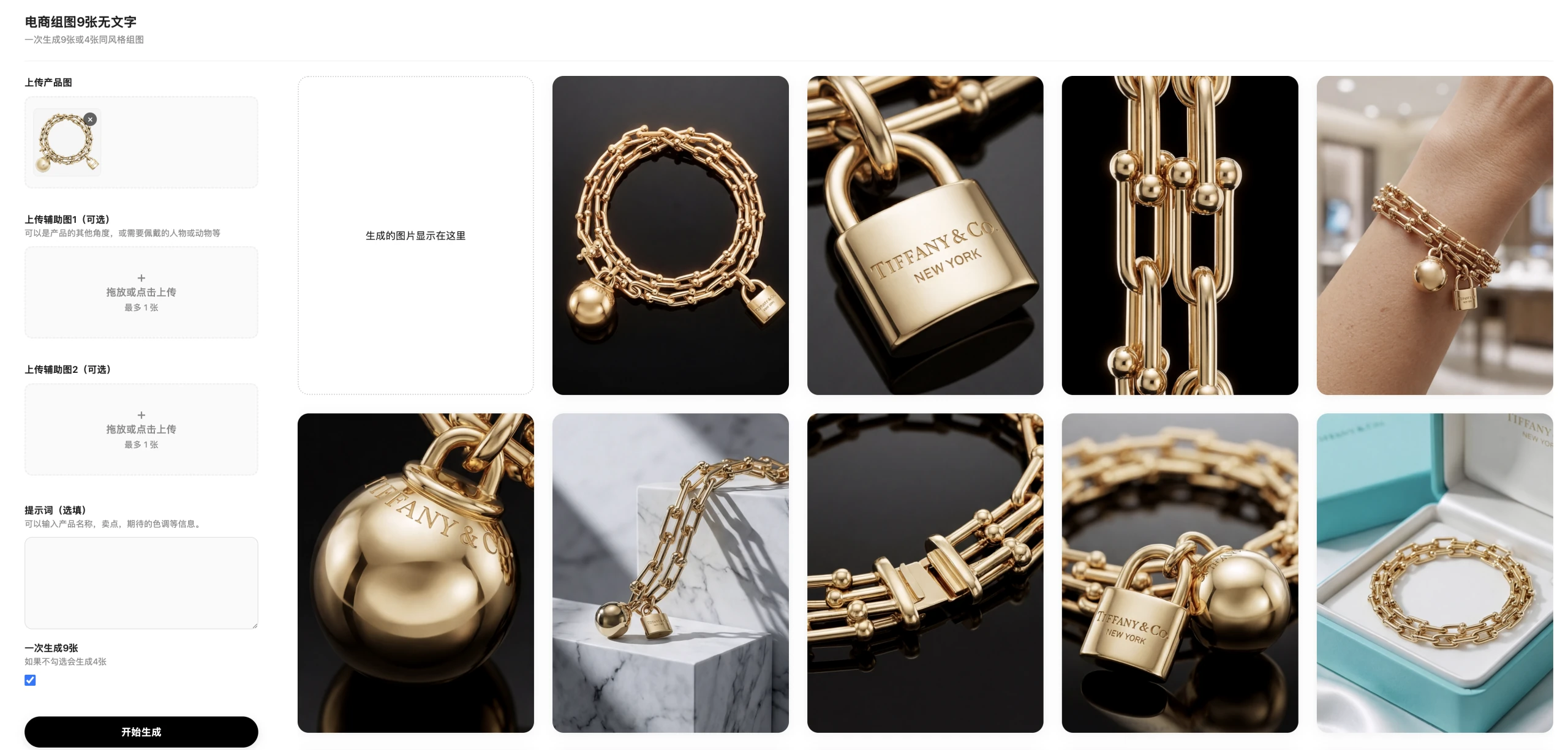
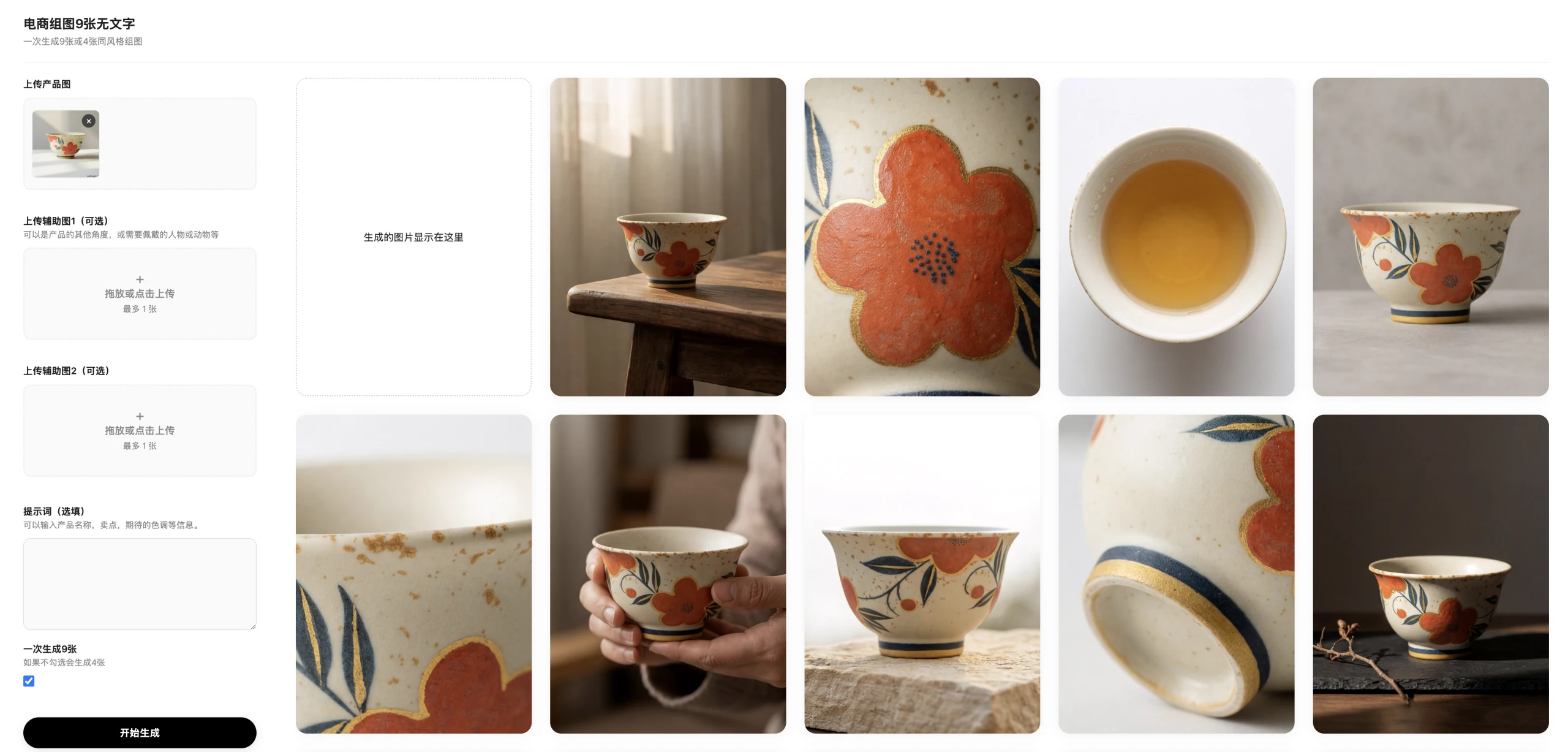
The Second and Third Images Are Optional Reference Images
The second and third images can be used as supplementary inputs, but they are not required. Their purpose is to help the AI understand product information that is not fully visible in the main image. For example, these reference images can show a model wearing or using the product, a pet using the product, the side or back view, detailed structure, packaging, material texture, accessories, or a real usage scene.
If your product has a simple appearance and the main image is already clear enough, uploading only the first image is usually sufficient. However, if the product includes multiple accessories, has several important viewing angles, or contains details that affect purchase decisions, it is better to upload the second and third reference images as well.
Good reference images should provide new information. Avoid uploading several nearly identical photos from the same angle, because repeated inputs do not help the AI understand the product better. Instead, use the optional images to show details that the main product photo cannot explain on its own.
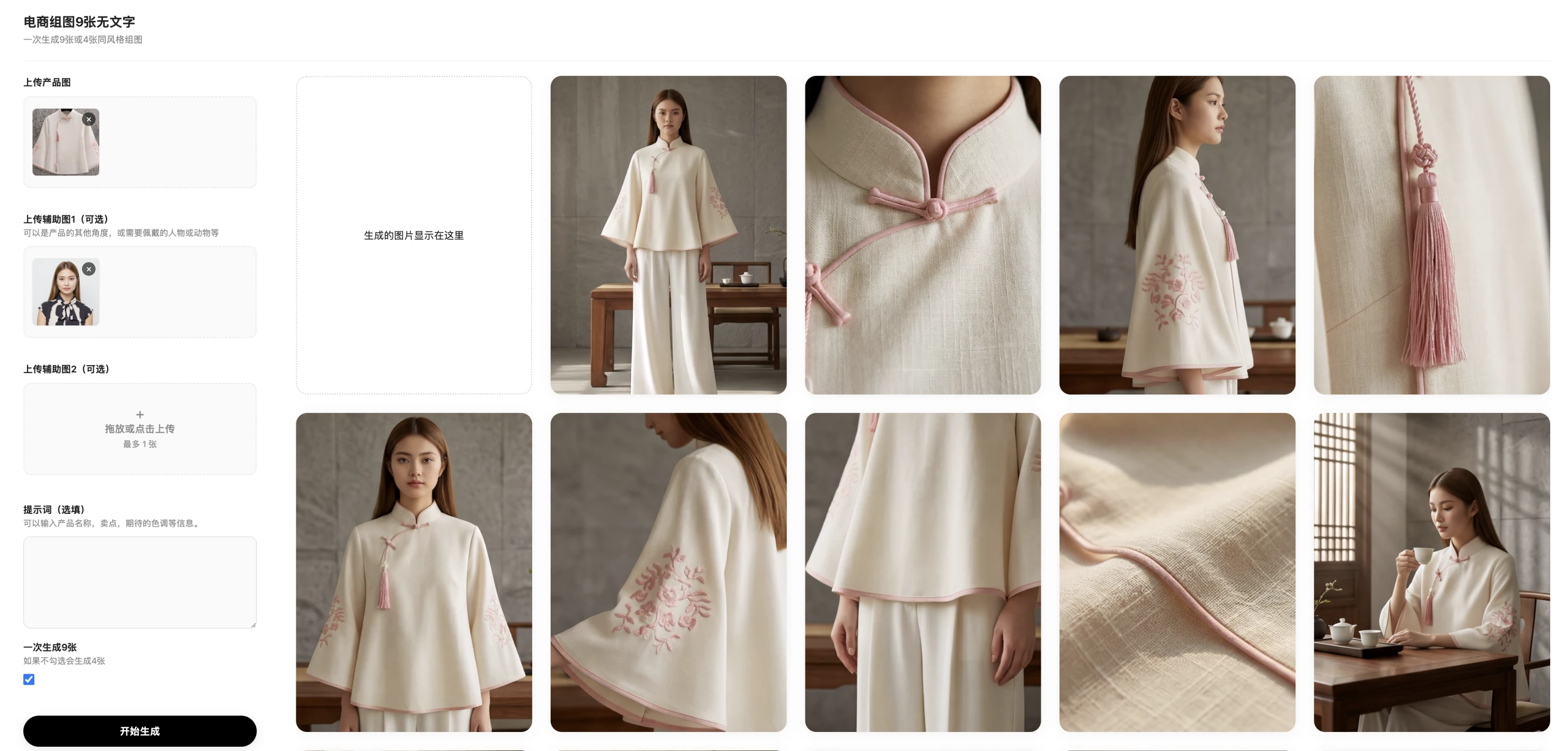
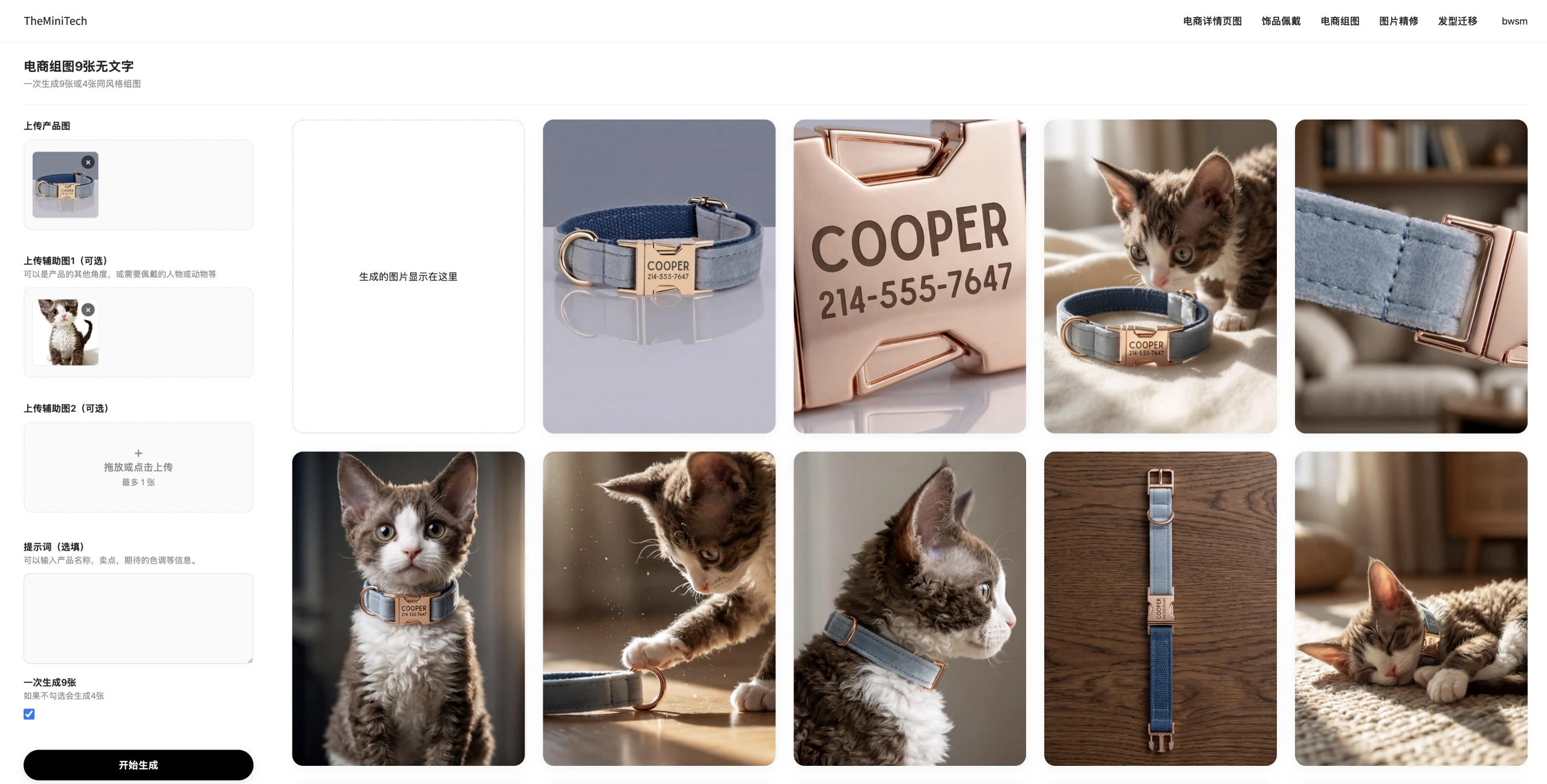
How to Improve the Quality of a 9-Piece Product Image Set
- Choose a clear, complete, centered product photo as the main image.
- Avoid images with large text, watermarks, heavy filters, or complex distracting backgrounds.
- Use optional reference images to provide new information, not repeated views of the same angle.
- If the product includes accessories, show the complete accessory set in the main image or reference images.
- Keep the product color and version consistent across all uploaded images to prevent AI confusion.
- Use well-lit images whenever possible, because clear inputs usually lead to more accurate product generation.
Best Use Cases for AI E-commerce Product Images
An AI 9-piece e-commerce image set is especially useful for sellers who need multiple product visuals for online stores, marketplaces, landing pages, ads, and social media campaigns. Instead of creating every scene manually, you can use one main product image and a few helpful references to generate a broader visual set quickly.
Because this tool creates images without text, the results are flexible. You can use them as clean product display images, add your own localized marketing copy later, or adapt them for different platforms without worrying about incorrect text appearing inside the image.
Conclusion
The key to generating a high-quality AI 9-piece e-commerce image set is the quality of your image inputs. The first image is required and should be the clearest main product photo. The second and third images are optional references that can be added when the product has important details, multiple angles, accessories, packaging, or usage scenarios.
For most e-commerce products, one strong main product image plus one or two useful reference images can produce more stable, accurate, and visually consistent AI-generated product photos. By preparing your inputs carefully, you can create cleaner product visuals that are better suited for online shopping experiences.
Try it here: AI product image set tool.