
The AI OOTD image replication tool is designed to generate fashion outfit inspiration images, clothing styling visuals, and Xiaohongshu-style product display images. The workflow is simple: upload a style layout reference image, add your product material images, and let the AI generate a new outfit image in the target visual style.
This tool is useful for fashion sellers, clothing brands, accessory stores, social media operators, and e-commerce teams that want to create visually appealing outfit content faster. Instead of generating from scratch, you can guide the AI with a reference layout and make the final image more controllable.
Tool entrance: AI OOTD image replication tool
What Is This AI OOTD Tool Best For?
If you have clothing, shoes, bags, accessories, or outfit items and want to turn them into Xiaohongshu-style fashion note visuals, this tool can help. It is suitable for OOTD outfit displays, fashion inspiration posts, brand seeding images, e-commerce detail page materials, social media ads, and outfit content planning.
The advantage of style replication is control. You can first prepare a layout reference image that matches the visual style you like, then let the AI place your own product materials into a similar image structure. This makes the output more predictable than a fully open-ended generation prompt.
What Materials Do You Need?
You usually need two types of materials. The first is a style layout reference image, which tells the AI the composition, arrangement, mood, and overall visual direction you want. The second is the product material image, which tells the AI which clothing items or accessories should appear in the final outfit image.
Product images can be uploaded separately, or you can combine them into one image before uploading. Separate inputs are better when you want the AI to identify each item individually. A combined image works better when you want the AI to understand a fixed full outfit set as one complete styling direction.
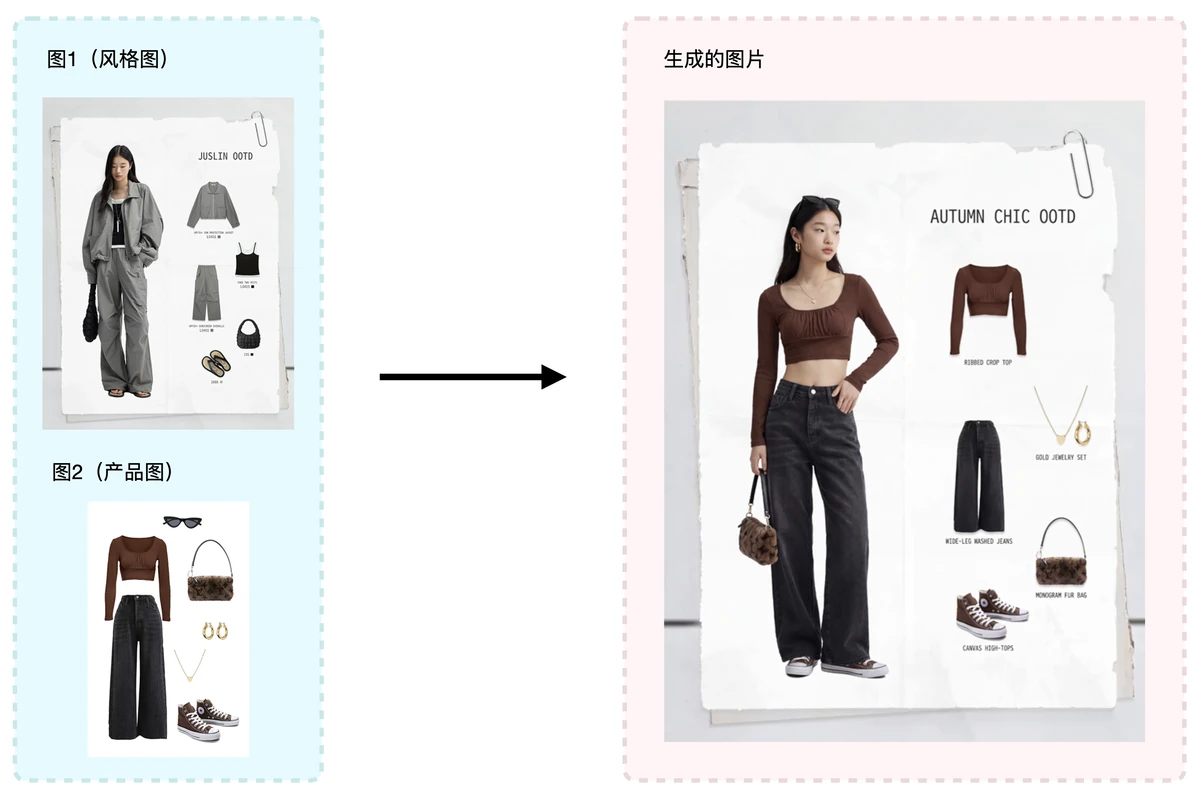
How to Generate an Outfit Image in the Target Style
Start by uploading the target style reference image, then upload your product material images. The AI will use the reference image for composition and style while combining it with your product materials to generate a new outfit visual. The closer the reference image is to your desired final style, the easier it is for the generated result to match your expectation.
If you want a stronger Xiaohongshu-style fashion note look, choose a reference image with a clean layout, clear composition, and an obvious outfit theme. For clothing products, provide clear product images where the main item is easy to identify and not blocked by other objects.
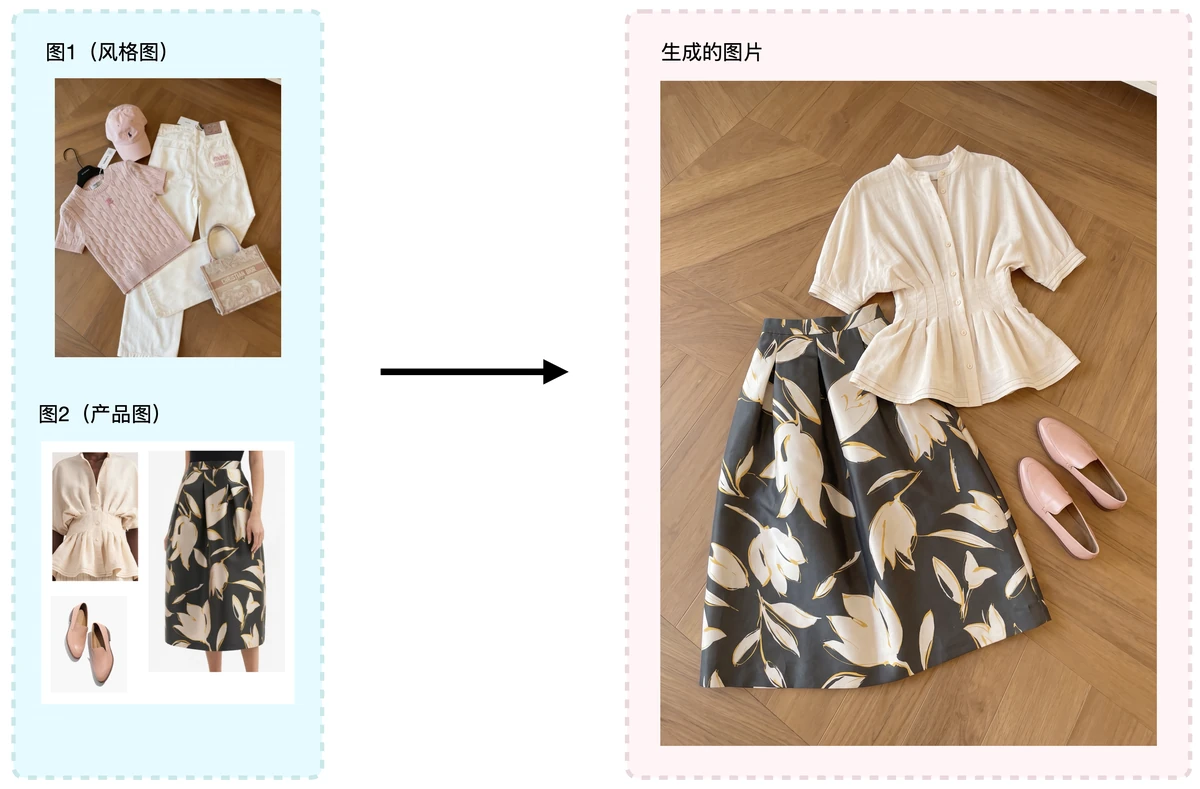
Should Product Images Be Uploaded Separately or Combined?
If you only have a few products, such as one top, one pair of pants, and one pair of shoes, uploading them separately can help the AI recognize each item more clearly. This is useful when product details matter and you want better control over individual pieces.
If you already have a complete outfit set or want the AI to follow a fixed combination, you can combine the products into one image before uploading. In simple terms, separate product images are better for controlling item details, while one combined image is better for controlling the full outfit combination.
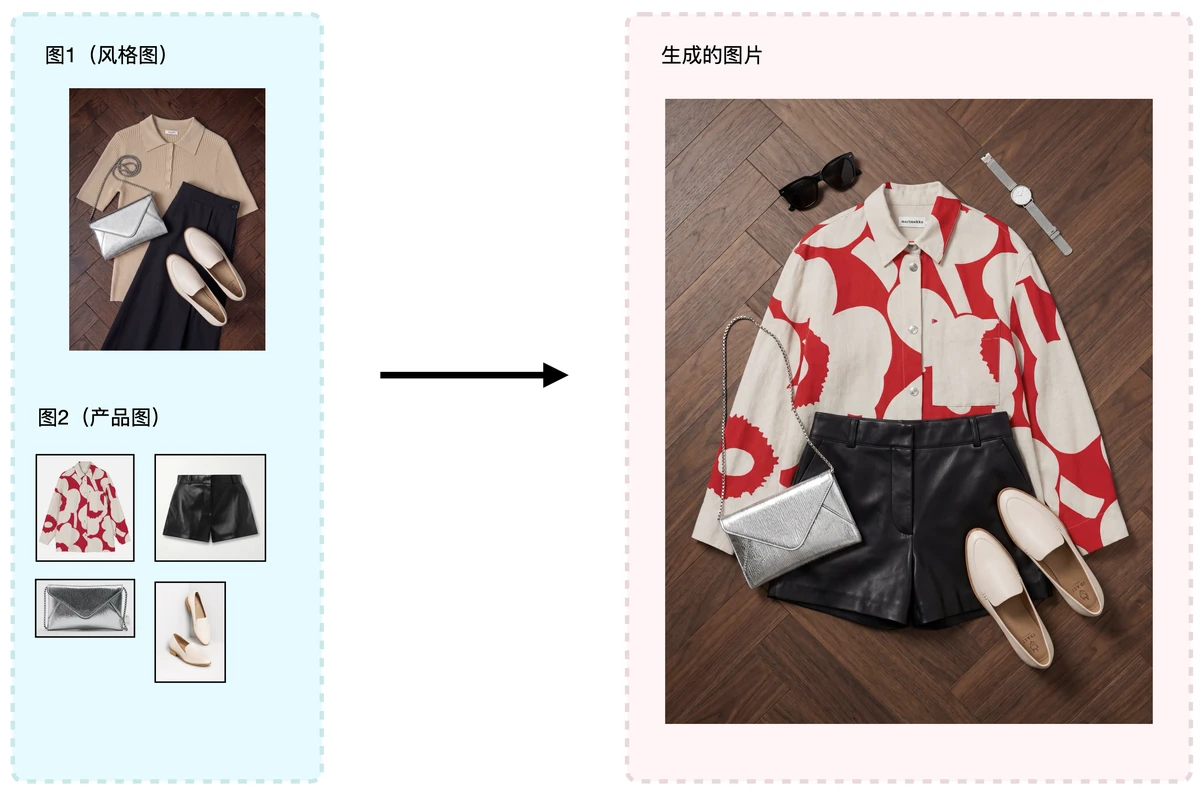
Tips for Better AI OOTD Image Generation
- Choose a reference image with a clear Xiaohongshu outfit note style and layout.
- Use clear product material images and avoid items that are too small or heavily blocked.
- Keep the style of products in the same outfit set consistent to reduce AI confusion.
- If the result does not match the reference image well, try a reference image with a clearer layout.
- If product details are inaccurate, upload product images separately instead of compressing everything into one large collage.
Conclusion
The key to using the AI OOTD image replication tool is preparing the right reference image and product materials. The reference image controls the overall style and layout, while the product images determine which fashion items appear in the final visual.
By combining a style layout reference image with clear product material images, you can generate outfit inspiration images that match a target visual style more efficiently. This workflow is especially useful for fashion, shoes, bags, accessories, e-commerce content operations, and social media marketing.