
Are your AI-generated earrings too big, or does a necklace look out of proportion on the model? Incorrect jewelry size is one of the most common problems when creating AI jewelry try-on images.
For example, a delicate 15 mm earring may appear as an oversized statement earring, while a small necklace pendant may look much larger than the real product. The main reason is simple: AI cannot reliably determine real-world jewelry dimensions from a product photo alone.
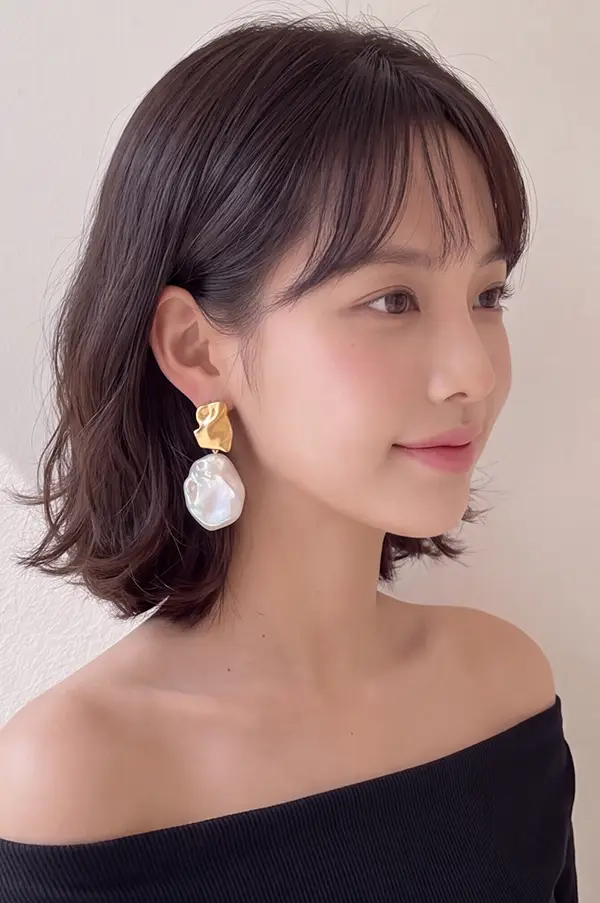
Fortunately, you do not always need to start over. This guide explains why AI jewelry try-on proportions go wrong and shows three practical ways to correct oversized earrings, disproportionate necklaces, and inconsistent jewelry scale.
Why Does AI Jewelry Try-On Get the Size Wrong?
1. Product Photos Do Not Show Real-World Scale
A white-background jewelry photo provides information about the product's design, material, color, and shape. However, it often lacks a reliable size reference.
A 15 mm earring and a 50 mm earring can look almost identical when photographed separately at different zoom levels. Without a reference such as an ear, neck, or finger, AI may generate the jewelry at the wrong size.
2. AI Does Not Always Understand Millimeter Measurements
Adding a prompt such as “15 mm earrings” or “20 mm necklace pendant” does not guarantee accurate dimensions. General image-generation models may struggle to convert physical measurements into realistic proportions within a portrait.
Camera distance, viewing angle, and image cropping can also influence the final appearance.
3. Model Photos Affect Jewelry Placement and Scale
The quality of the model image matters. If the ears are partially hidden by hair, the face is too small, or the portrait uses an unusual camera angle, AI may struggle to estimate the correct position and relative size of the jewelry.
This is particularly noticeable with small studs, drop earrings, and delicate necklace pendants.
3 Ways to Fix AI Jewelry Try-On Proportions
Method 1: Use Real Jewelry-Wearing Reference Photos
One of the easiest ways to improve jewelry proportions is to provide a reference image showing how the actual product looks when worn. Instead of using only an isolated product photo, include a close-up photo of the jewelry on a real person or mannequin whenever possible.
- For earrings: Choose a reference photo showing the earlobe, piercing position, and full earring.
- For necklaces: Show the neck, collarbone, and natural position of the chain and pendant.
- For rings: Use a photo that clearly shows the ring on a finger.
These visual references give AI more information about the product's relative size, helping it generate more natural try-on results.
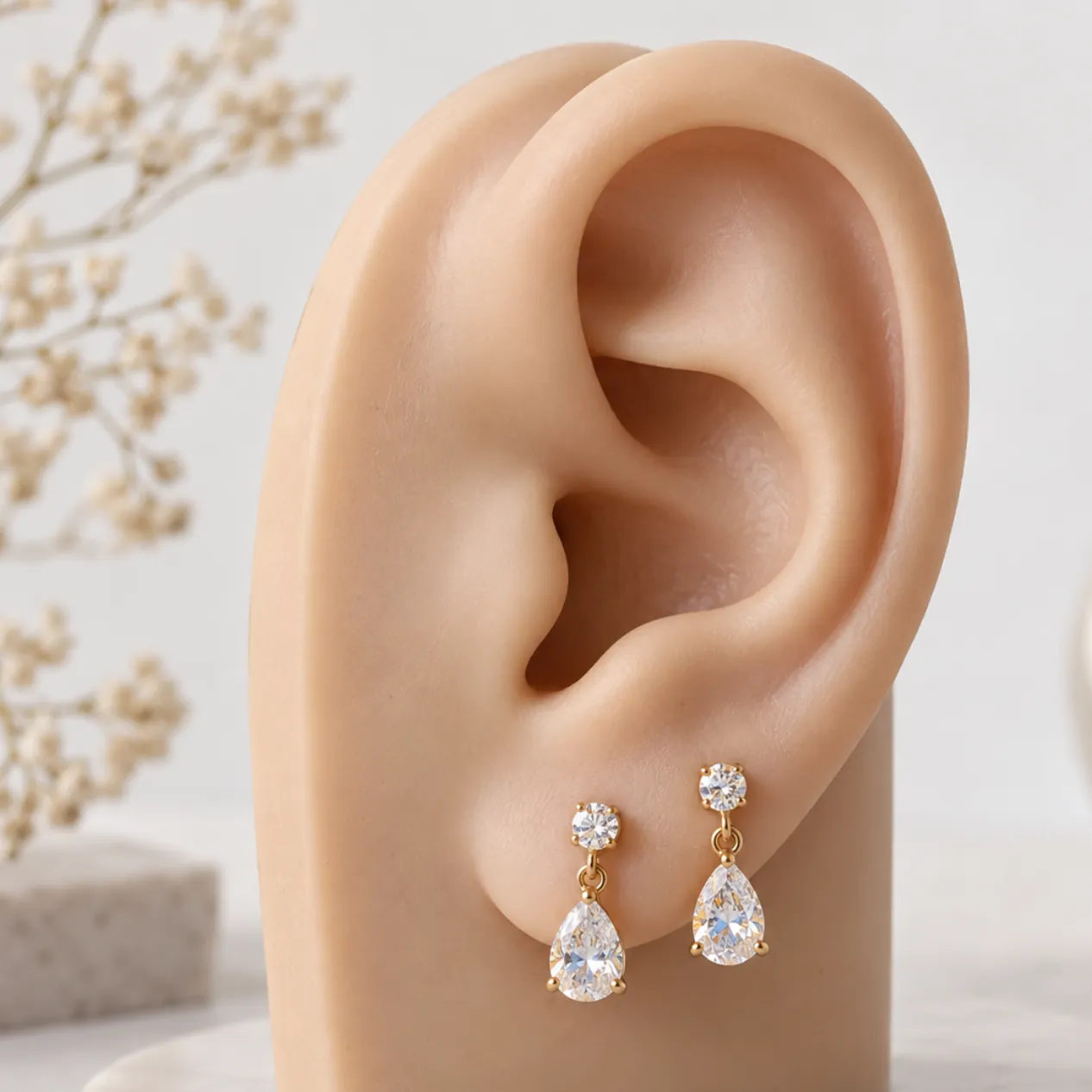
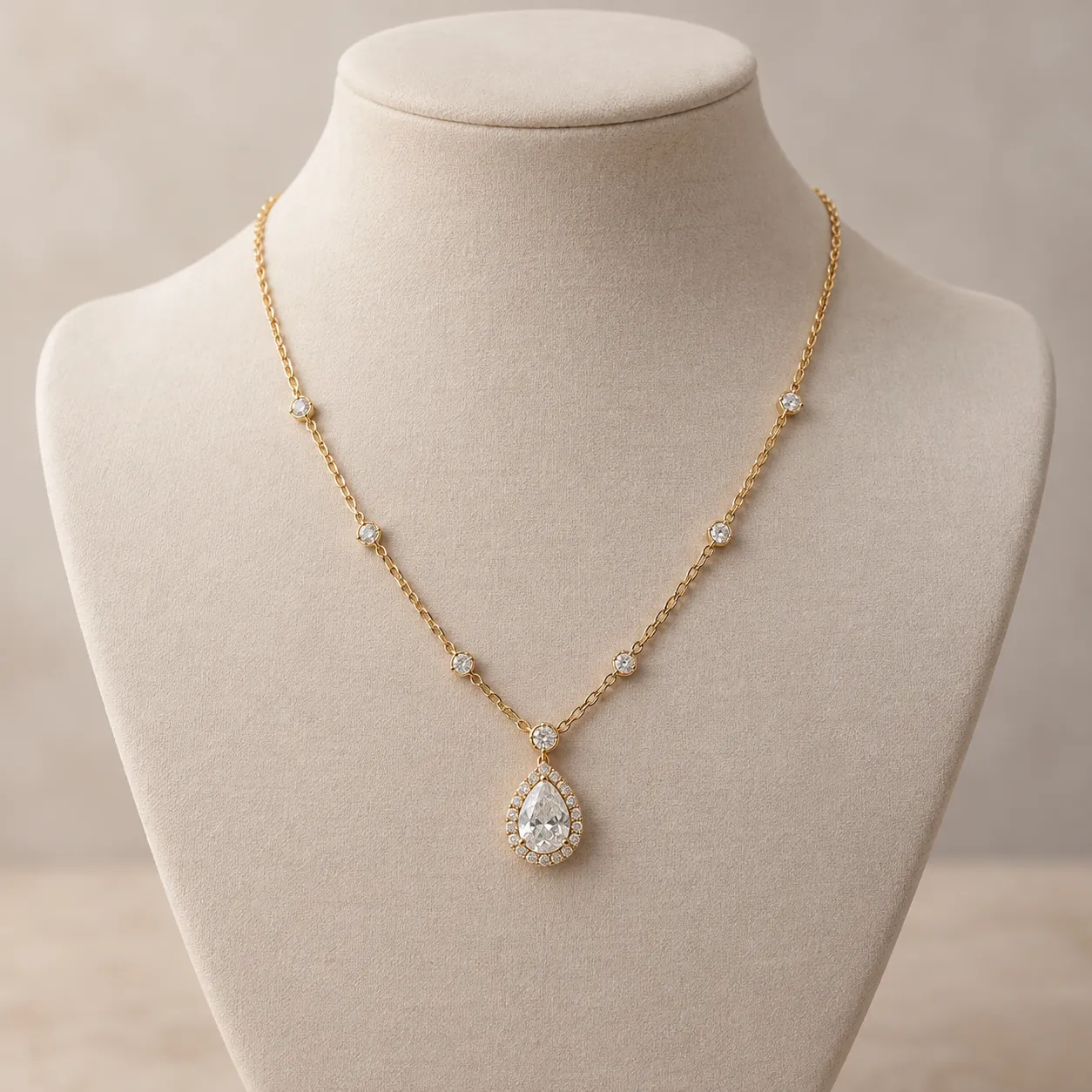
Best for: Jewelry sellers who have access to real wearing photos and want to improve the accuracy of their initial AI-generated images.
Method 2: Control Earring Size Using Actual Measurements
What if you only have a white-background product photo? For small earrings, studs, hoops, and short drop earrings, try a specialized AI try-on tool that supports real product dimensions.
The AI Earrings Try-On Tool allows you to enter the actual earring height in millimeters to help control the generated size.
Example: How to Generate 15 mm Earrings with AI
- Upload a clear model portrait with the ears visible.
- Upload the earring product image. A close-up wearing reference is preferable if available.
- Enter
15in the Earring Height (mm) field. - Generate the image and check the earrings' apparent size, placement, and orientation.
Compare the result with the actual product measurements and a real wearing reference whenever possible. Entering the correct dimensions can improve the output, but it does not guarantee millimeter-perfect accuracy. Always review the image before using it in a product listing.
Best for: Small earrings, studs, hoops, and jewelry products where size accuracy is especially important.
Method 3: Resize Jewelry in an Existing AI-Generated Image
What if the AI-generated model photo already looks great, but the earrings are too large? You may not need to regenerate the entire image.
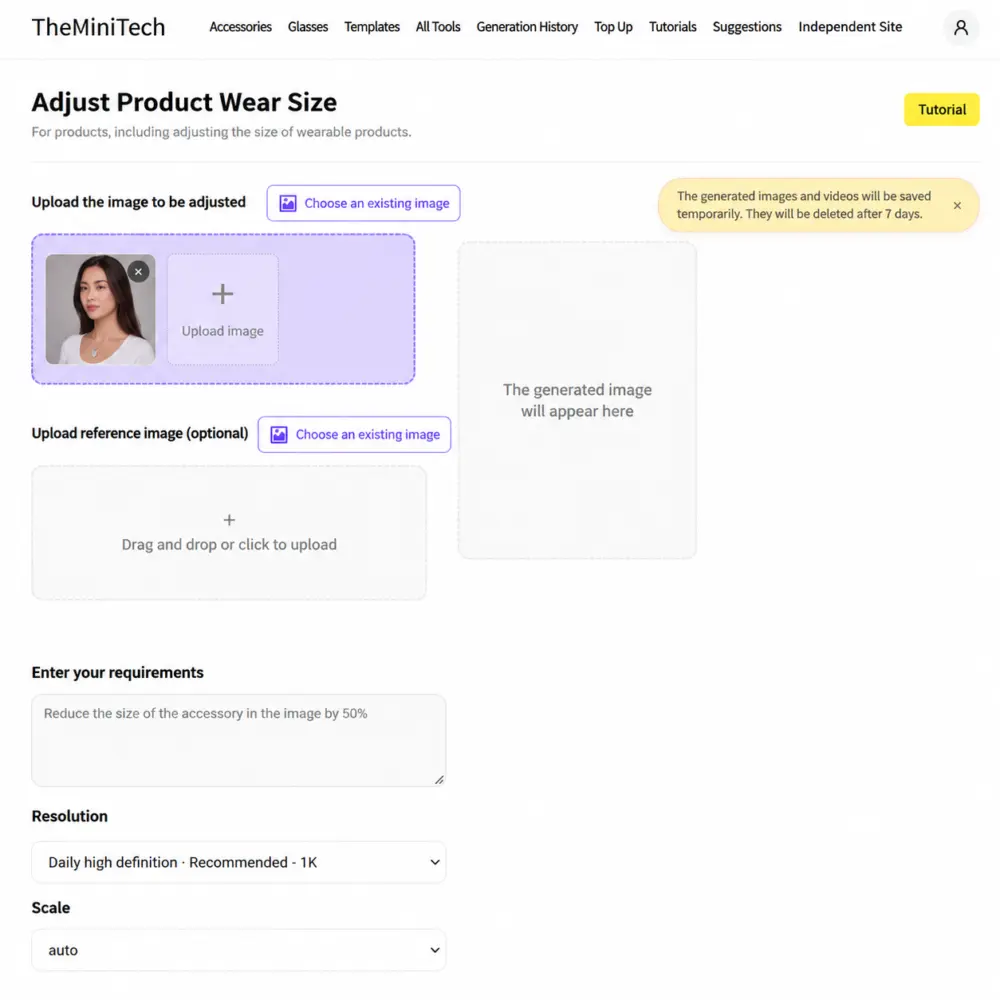
Instead, use the Resize Try-On Product Tool to adjust the jewelry size while keeping the existing model, background, and composition as consistent as possible.
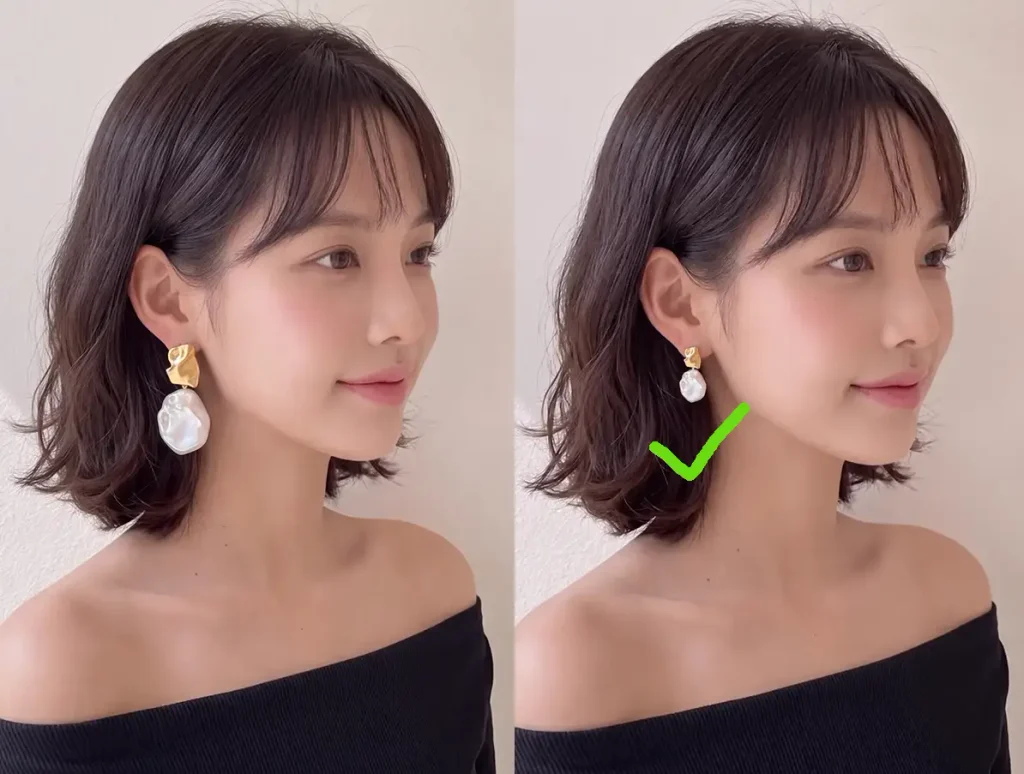
How to Make AI-Generated Earrings Smaller
- Upload the generated model image with incorrectly sized jewelry.
- Optionally upload a reference image showing the desired jewelry proportions.
- Enter a clear instruction describing the size adjustment.
- Generate the adjusted image and compare it with the original.
Reduce the size of both earrings by approximately 50%. Keep the original jewelry shape, material, color, and wearing orientation unchanged. Maintain a consistent size on both ears. Do not change the model's face, hairstyle, background, lighting, or overall image composition.
The same approach can be used to correct necklace pendants or other accessories that appear too large or too small. Because this is an AI-based edit, small unintended changes may still occur. Check jewelry details, edges, and surrounding areas before publishing.
Best for: Existing AI jewelry try-on images where the model, lighting, and product appearance are already satisfactory.
Frequently Asked Questions
Why are my AI-generated earrings too big?
AI often enlarges earrings because isolated product images lack a reliable real-world scale reference. Using a close-up wearing photo or entering the actual earring height can help improve proportions.
How do I make earrings smaller in an AI-generated photo?
Use an AI product resizing tool and specify the desired size reduction, such as 25% or 50%. Ask the tool to preserve the original model, background, jewelry appearance, and composition as closely as possible.
Can AI accurately generate 15 mm earrings?
A specialized earrings try-on tool can use the actual 15 mm measurement to guide the generation process. However, the output still needs visual verification and should not be assumed to have exact physical dimensions.
How do I fix an oversized necklace pendant in AI images?
Provide a wearing reference that shows the pendant's actual size relative to the neck and collarbone. If the image has already been generated, use an AI resizing tool to adjust the pendant while minimizing changes to the surrounding image.
Can I resize jewelry without changing the model's face?
You can instruct an AI editing tool to change only the jewelry and preserve the model's face and background. However, generative image editing cannot guarantee that every other pixel will remain unchanged. Review the result carefully.
Conclusion: How to Get Better AI Jewelry Try-On Proportions
Fixing incorrect jewelry proportions is not just about writing a better AI prompt. The most effective approach is to provide reliable wearing references, use actual product measurements when supported, and correct localized size issues instead of repeatedly regenerating an entire model image.
Whether you are creating earring product photos, necklace lifestyle images, or jewelry visuals for an online store, getting the proportions right makes your product images more realistic and useful.
Ready to fix your jewelry try-on images?