
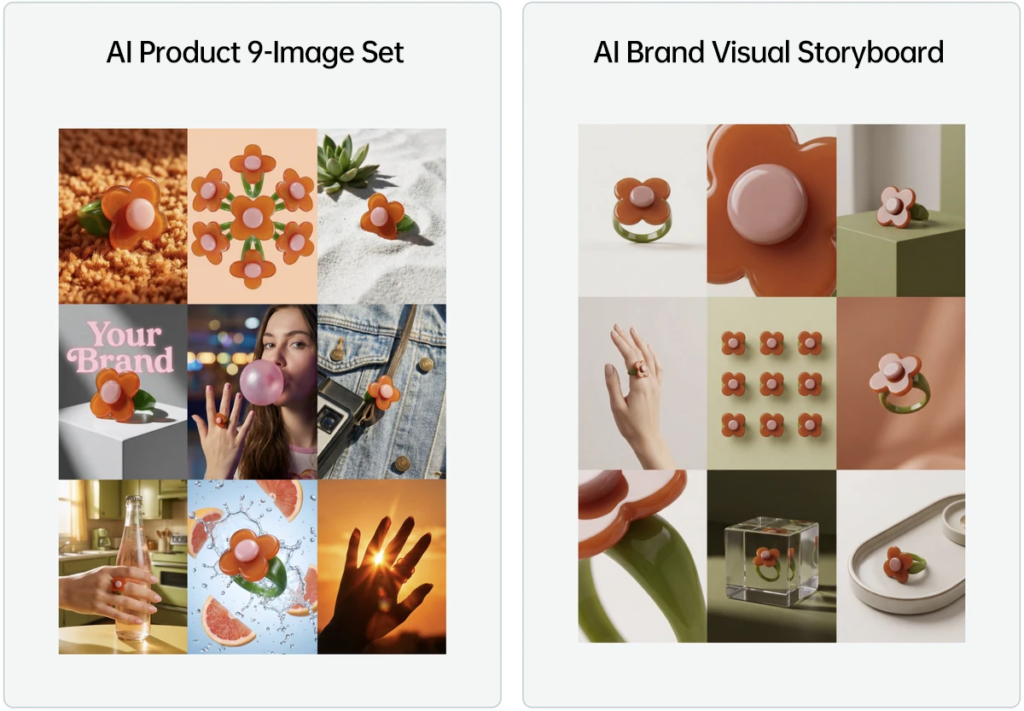
The AI Brand Visual Storyboard tool is designed for generating clean, premium e-commerce product visuals. It is similar to the “AI Product 9-Image Set” tool, but the overall style is more restrained, minimal, and brand-focused. It is especially useful for product selling points, independent store visuals, social media product images, and branded marketing materials.
If you want your product images to do more than simply display an item, this tool is a strong choice. It helps create visual story images with better composition, more whitespace, and a clearer brand atmosphere, making the final results more suitable for modern e-commerce design.
When Should You Use the AI Brand Visual Storyboard Tool?
This tool is best for product display scenarios that require a clean, premium, and design-driven visual style. Compared with standard e-commerce image generation, the composition is usually simpler, the visual hierarchy is clearer, and the image is less likely to feel crowded. This makes it easier to highlight both the product and the brand mood.
You can use it for independent store product pages, brand story sections, social media content, advertising material previews, product launch visuals, or as a design reference for future detail page layouts. It works particularly well when you want e-commerce product images that feel editorial rather than purely functional.
How Is It Different from the AI 9-Piece E-commerce Image Set?
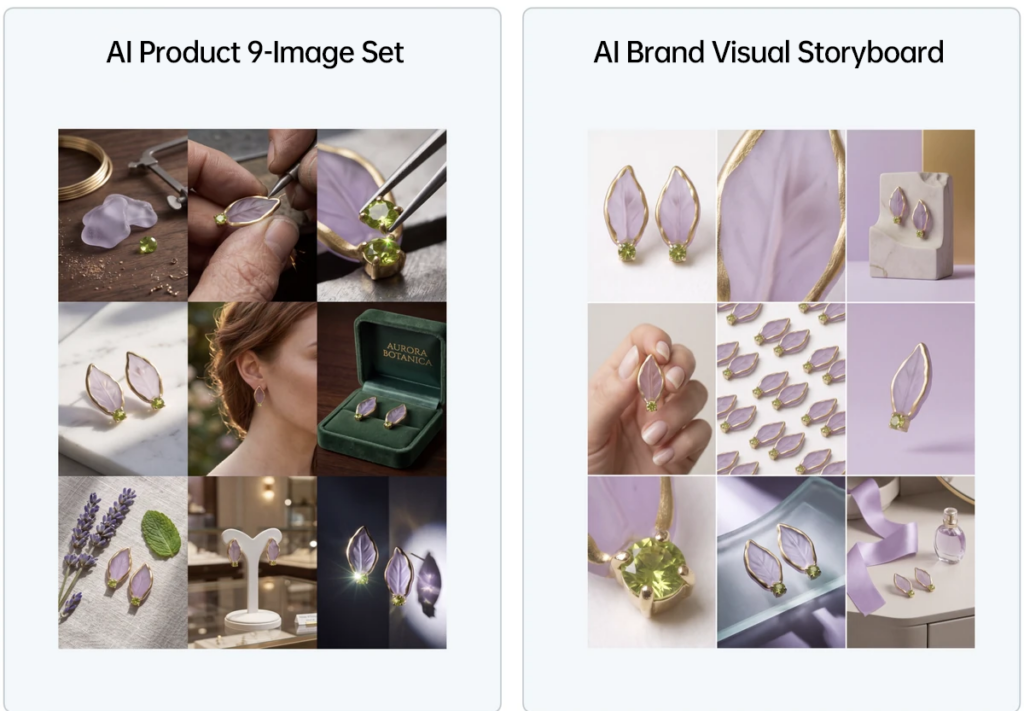
Both tools can generate product visuals from product images, but they focus on different needs. The AI 9-piece e-commerce image set is better for quickly producing multiple product display images. The AI Brand Visual Storyboard tool is more focused on refined visual expression, brand atmosphere, product storytelling, and premium composition.
If you need more output quantity and more product display angles, the e-commerce image set may be more suitable. If you care more about image quality, whitespace, design tone, and a stronger brand feeling, the AI Brand Visual Storyboard tool is usually the better choice.
How to Use the AI Brand Visual Storyboard Tool
1. Upload One Main Product Image
In most cases, you only need to upload one product image. The AI will identify the product from this image and generate clean, design-focused visuals around it. For best results, choose a clear and complete product image with minimal background distractions.
2. Add a Second Image for Other Angles or Details
If you have additional product angles, detail photos, material close-ups, or usage scene images, place them in Image 2 as supplementary references. This is optional, but it can significantly improve the AI’s understanding when the product has a complex structure, special texture, or important details.
3. Add the Product Name in the Prompt When Needed
Most products can be recognized automatically. If the AI does not accurately understand what the product is, add the product name in the prompt, such as “ring,” “aroma diffuser,” “skincare serum,” “wireless earbuds,” or “coffee maker.” The prompt does not need to be long. A clear product type is often enough.
Example Results
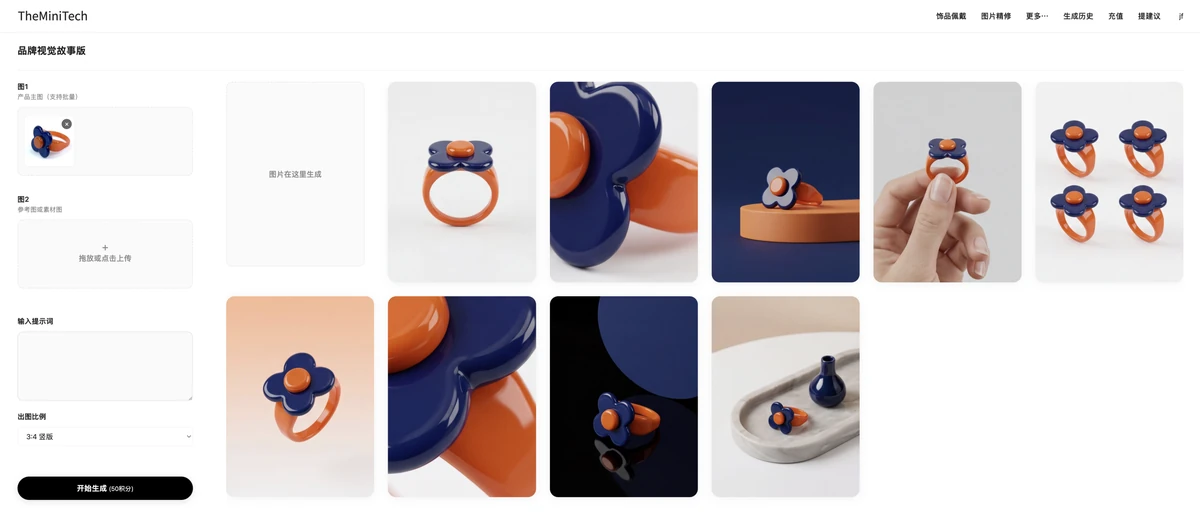
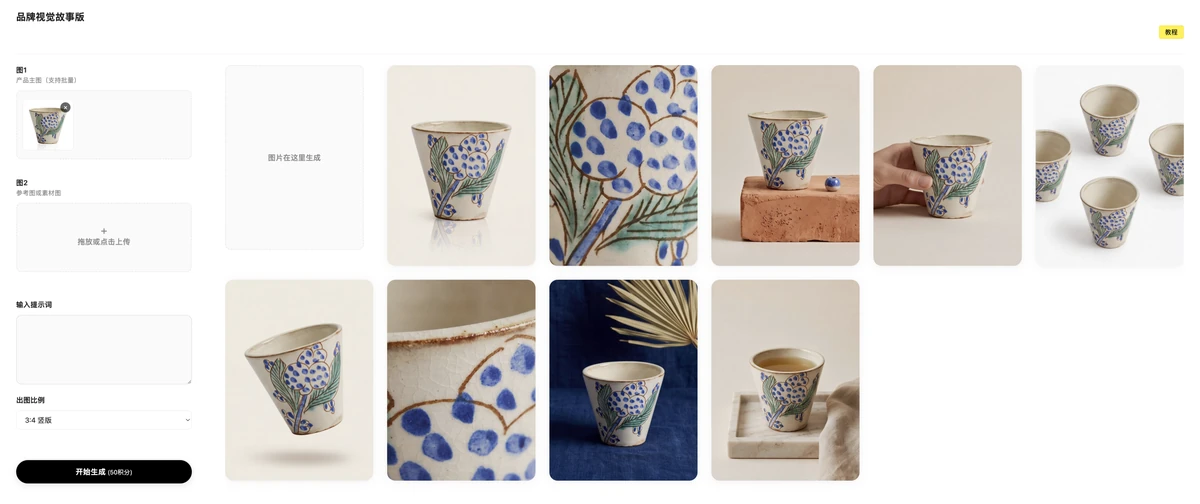
The examples below show the type of visual results generated by the AI Brand Visual Storyboard tool. These images usually focus on visual texture, layout, product atmosphere, and branded presentation, making them useful for upgrading product visuals and creating marketing assets.
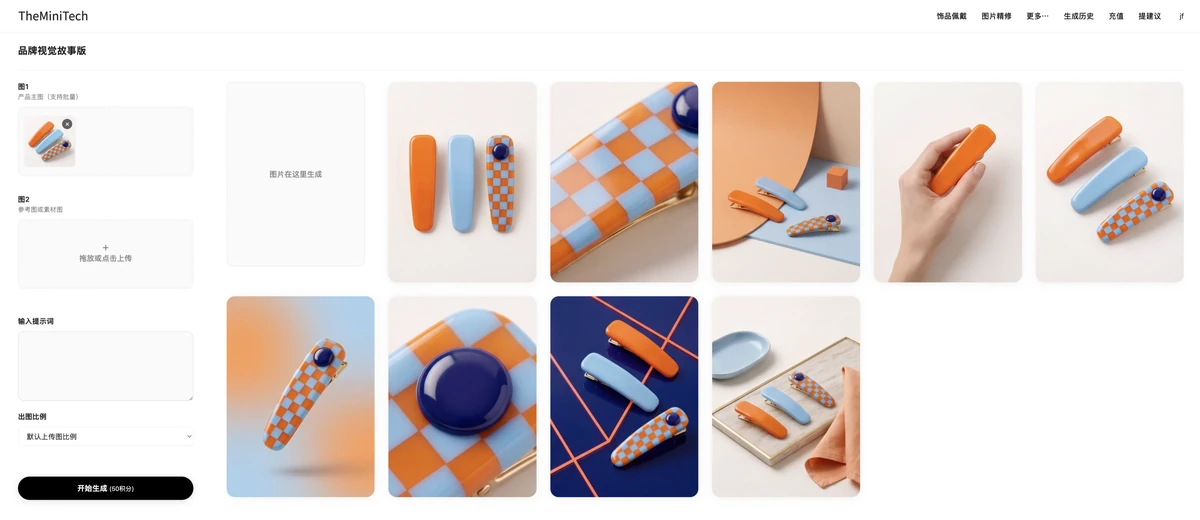
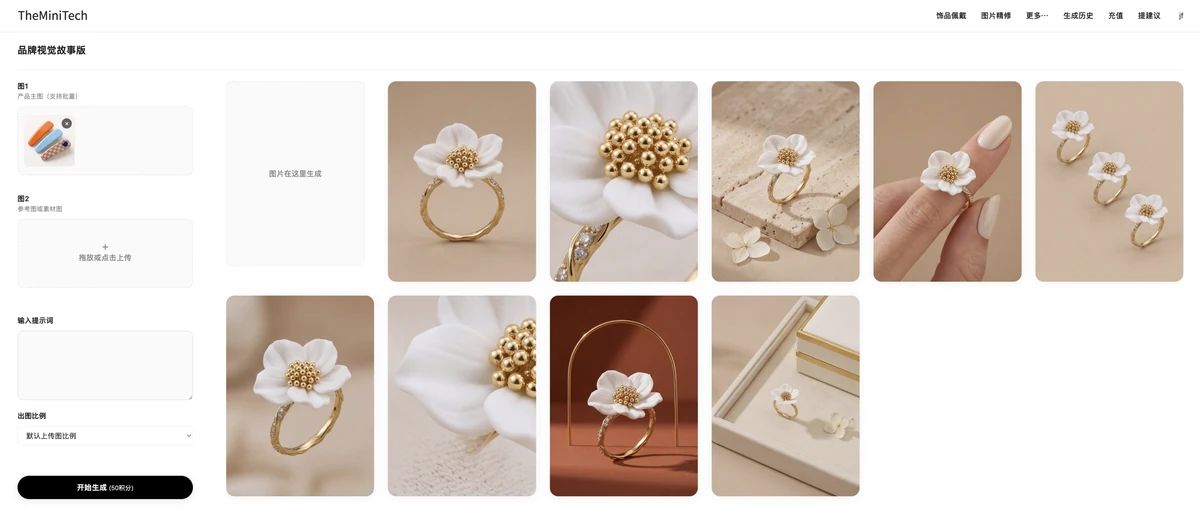
Tips for Better Product Visual Generation
- Use a clear main product image and avoid blur, heavy obstruction, or strong reflections.
- If the product has unique materials, structure, or details, upload an additional reference angle.
- Keep the prompt focused on the key product type instead of adding too many unrelated descriptions.
- For a more premium visual result, choose input images with a clean background and a clear product subject.
- If the generated result does not match the product, replace the main image with one that is easier to recognize.
Conclusion
The AI Brand Visual Storyboard tool is a practical option for creating cleaner, more design-focused e-commerce product visuals. It is easy to use: in many cases, one main product image is enough. For complex products, add a supplementary image and write the product name in the prompt to help the AI understand the subject more accurately.
For sellers, brand owners, and creators who want to improve product page quality, build a stronger brand atmosphere, or create polished social media visuals, this AI image generation workflow is worth trying.
Try it here: AI Brand Visual Storyboard tool.