
The AI Multi-Pose Generator can turn one person image into a set of 4 images with different poses. It is useful for character image expansion, model pose variation, fashion display, e-commerce product visuals, social media content, AI portrait references, and brand visual testing.
If you already have a clear person photo but need more pose variations, such as standing, sitting, side-facing, half-body, or full-body angles, this tool can help create a wider set of usable visuals. For more stable results, prepare a clear input image and manually choose a specific output aspect ratio.
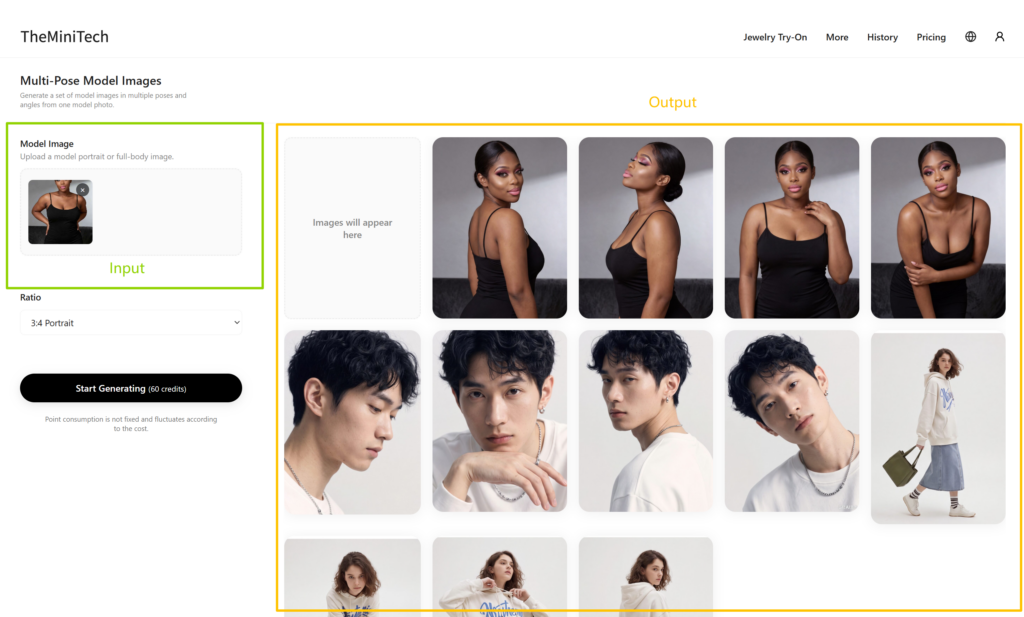
What Is the AI Multi-Pose Generator Best For?
The main purpose of the AI Multi-Pose Generator is to expand one reference image into multiple images with different body poses. It helps you quickly create more visual variations without arranging a new photoshoot.
- Create different standing, sitting, side-facing, or display poses for model images.
- Generate more model angles for fashion, accessories, outfits, and e-commerce product images.
- Prepare visual assets for social media, product detail pages, advertising images, and brand content.
- Create additional pose references for AI portraits, virtual models, and character design.
Upload a Person Image
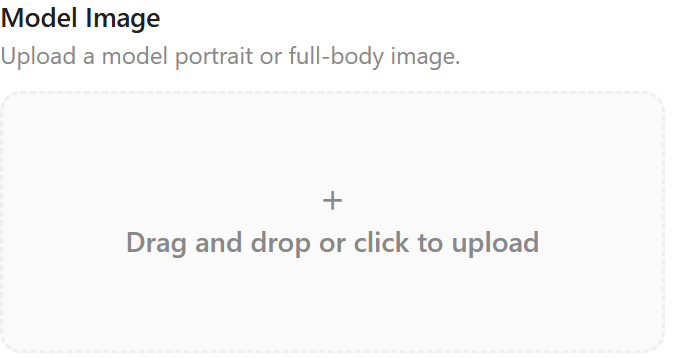
Click the plus button in the upload area to select a person image from your local computer. You can also drag and drop the image directly into the upload area. The tool supports common image formats such as JPG and PNG.
For best results, use a clear image where the person is complete and easy to identify. The face, body outline, clothing details, and overall silhouette should not be too blurry. A recommended image size is around 1000 px to 2000 px in width or height. The clearer the input image is, the easier it is for the AI to understand the body structure, clothing shape, and pose direction.
If you want the 4 generated pose images to maintain better character consistency, use a single-person photo from the front or a slight side angle. Avoid group photos, heavily occluded bodies, overly complex backgrounds, or images where the person appears too small.
Set the Output Aspect Ratio
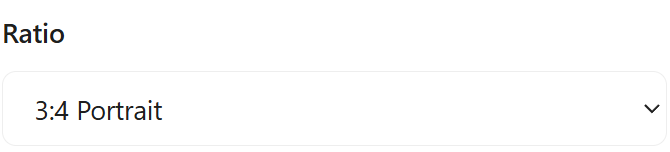
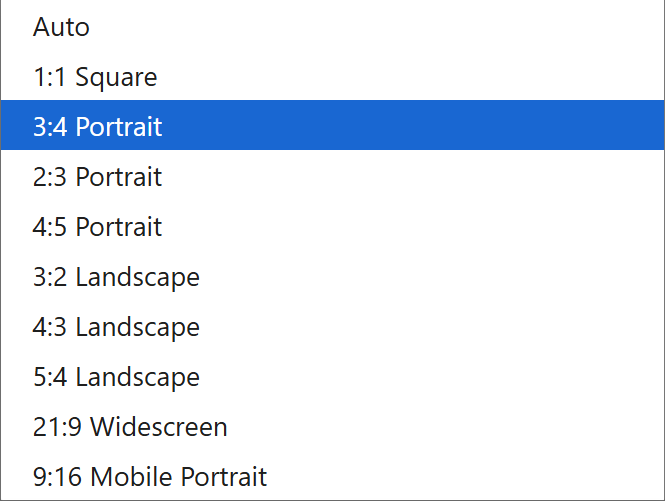
After uploading the image, choose the output aspect ratio from the dropdown menu. It is best to select a clear ratio instead of relying on Auto. Auto will often follow the input image ratio, but it may also produce an output size that does not match your expected layout.
If you need vertical images for social media covers or portrait-style content, choose a vertical ratio. If the images will be used for e-commerce detail pages, model display, or visual references, choose a horizontal, vertical, or original-like ratio based on your page layout. A specific ratio makes the final images easier to use in design and publishing workflows.
Generate 4 Pose Images from One Person Photo
Once the image is uploaded and the aspect ratio is set, click the start generation button. One generation usually takes about 2 minutes. When the task is complete, 4 person images with different poses will appear on the right side of the page.
The generated results may vary in pose, composition, movement, and clothing detail. You can choose the most suitable image from the 4 outputs and use it for product images, social media content, character references, or further editing.
Tips for Better Multi-Pose Generation Results
- Upload a clear, single-person image with a complete subject.
- Avoid heavy occlusion, group photos, messy backgrounds, or images where only a small part of the body is visible.
- Choose a specific aspect ratio based on the final use case instead of defaulting to Auto.
- For e-commerce or fashion display, use an input image with clear clothing outlines and even lighting.
- If the result is unstable, try a clearer person image or adjust the output ratio before generating again.
Conclusion
The AI Multi-Pose Generator can expand one person image into 4 different pose images. It is useful for model pose variation, fashion display, e-commerce visual assets, social media content, and AI character reference generation. The most important steps are uploading a clear and complete person image and choosing a specific output aspect ratio.
If you want to quickly create a richer set of pose variations for future design, display, or marketing use, start with one high-quality person photo, review the generated results, and then adjust the input image or aspect ratio as needed.